Yes, the Amazon Prime refund is real — but the text, email, or call telling you to claim it is almost certainly a scam. Amazon is sending settlement refunds automatically to eligible Prime customers. You do not need to file a claim, fill in a form, or pay a fee to get one. So if a message asks you to do any of those things, it is not from the FTC or Amazon. It is from a scammer who wants your card or bank details.
This scam works because it mixes a true story with a fake instruction. The settlement is real, the money is real, and millions of people are genuinely expecting a payment. Scammers simply ride on that expectation: they send a message that sounds official, add a deadline, and point you to a claim form that steals whatever you type in.
The timing is what makes this scam so effective right now. Expanded automatic payments began on October 1, 2026, and the FTC says all eligible payments should go out by April 2027. That means millions of people are watching their mailboxes and payment apps for months, and every fake message lands while people are already expecting good news.
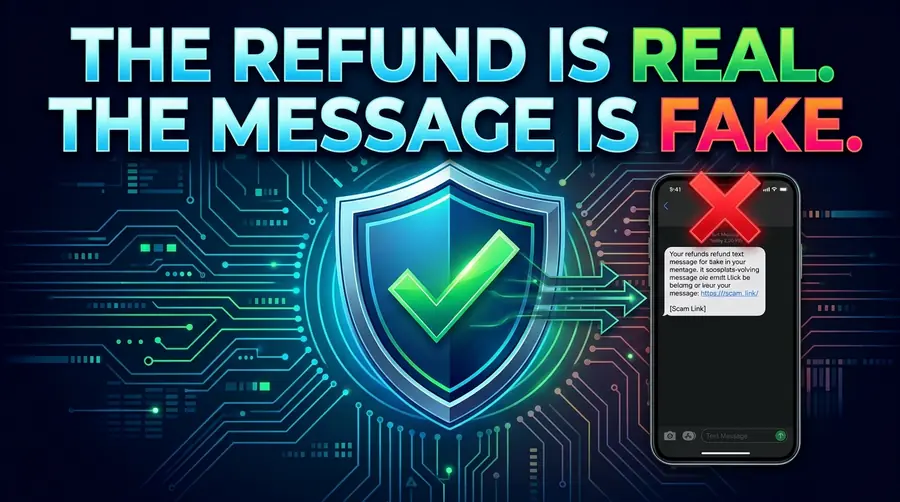
What does the fake Amazon Prime refund message look like?
The message below is a made-up example. It is not a real message. Scammers change the wording constantly, but the shape stays the same:
AMAZON-PRIME: Your FTC Prime Subscription Settlement Fund refund of $200 is ready. Claim within 24 hours before it expires: amaz0n-refund-claim.net. A $2.99 processing fee applies.
Every part of that message is a red flag. Here is what gives it away:
- The deadline. A 24-hour countdown is there to stop you from thinking. A real refund does not vanish if you do not click a link today.
- The “settlement fund” language. Scammers love official-sounding phrases. The FTC does not run a “Prime subscription settlement fund” that you apply to by text message.
- The lookalike link. The web address is close to Amazon but not Amazon. One swapped letter, one extra word, or an odd ending like .net instead of .com is all it takes.
- The fee. This is the clearest sign of all. No one from the FTC or Amazon will ever ask you to pay money to release a refund. A refund that costs you money is not a refund.
- The amount. The message promises the full $200. That is the maximum payment under the settlement, not the amount most people get. Scammers always promise the biggest number because it gets the most clicks.
The message can also arrive as an email or a phone call. In the call version, someone claims to be from the FTC and says your refund is being held until you confirm your bank details. The FTC is not contacting anyone about these refunds, so a caller who says otherwise is a scammer, no matter how official they sound.
How does the Amazon Prime refund scam work?
The scam follows the same five steps almost every time:
- You get a message. A text, email, or call says your Amazon Prime refund is ready and waiting.
- You click the link. It takes you to a page that looks like Amazon or the FTC, complete with logos, official colors, and legal-sounding text.
- You fill in the “claim form.” It asks for your name, address, and then your card or bank details, and sometimes your Amazon password. Every field you complete goes straight to the scammer.
- You pay a small fee. Some versions ask for a “processing fee” or a “verification charge” of a few dollars. The fee is not the point. The point is that you just handed over a working card number.
- The scammer cashes in. Your card gets charged, your bank details get sold, or your Amazon account gets taken over and used to order goods. By the time the statement arrives, the money is gone.
Some versions skip the fee and only harvest your details. Others skip the form entirely and ask you to “verify” your identity by reading out a code sent to your phone. Either way, the goal is the same: your money, or the information that leads to it.
What is the real Amazon Prime refund?
The real refund comes from a lawsuit. In June 2023, the FTC sued Amazon, saying the company signed millions of people up for Prime without their clear consent and then made it hard for them to cancel. Amazon did not admit wrongdoing, but in September 2025 it agreed to settle the case.
Here is the timeline that matters:
| Date | What happened |
|---|---|
| June 2023 | The FTC sues Amazon over Prime sign-up and cancellation practices. |
| September 25, 2025 | Amazon agrees to a $2.5 billion settlement: a $1 billion civil penalty plus up to $1.5 billion in refunds to customers. |
| September 2026 | A revised court order raises the maximum total payment from $51 to $200 and expands automatic payments to millions more people. |
| October 1, 2026 | Expanded automatic payments begin for newly eligible customers. |
| April 2027 | The FTC says all eligible payments should be sent by this date. |
By September 2026, Amazon had already paid out more than $845 million in refunds under the settlement.
Who qualifies for the Amazon Prime refund?
You qualify if you meet all three of these requirements:
- You are an Amazon Prime customer in the United States.
- Between June 23, 2019, and June 23, 2025, you either signed up for Prime through one of the enrollment flows challenged in the lawsuit, or you tried to cancel Prime online and could not.
- You used no more than 20 Prime benefits in any 12-month period after you enrolled.
One thing to understand clearly: $200 is the maximum total payment across all phases of the settlement, not a guaranteed check for $200. The original cap was $51. Under the revised order, Amazon may issue additional payments of up to $149, bringing the maximum total payment to $200. Most payments are smaller than $200. If a message promises you the full $200, that alone should make you suspicious.
Real Amazon refund vs. fake message
When a message about your refund arrives, run it through this table. If even one row matches the right-hand column, delete the message.
| The real refund | The fake message | |
|---|---|---|
| Who contacts you | Nobody. The FTC is not contacting people about these refunds. | A text, email, or caller claiming to be from the FTC or Amazon. |
| Claim form | None. Payments are automatic. You do not file a claim or complete any forms. | A link to a claim form asking for your personal and banking details. |
| Fee | None. No one will ever ask you to pay to get a refund. | A “processing fee” or “verification charge,” often just a few dollars. |
| How you get paid | By mailed check or through PayPal or Venmo. | By clicking a link and entering your card or bank details. |
| Amount promised | Up to $200 in total, and most payments are smaller. | The full $200, guaranteed, right now. |
| Pressure | None. Payments go out through April 2027. | A countdown: claim within 24 hours or lose it. |
| Where to check | The FTC’s Amazon refunds page, or the settlement administrator at 1-888-999-8094. | A link inside the message itself. |
How do I check if my Amazon refund is real?
Never check through a link in a message. Check on your own terms instead:
- Go to the FTC’s page yourself. Type the address into your browser: ftc.gov/Amazon. That page explains who qualifies, how payments work, and what the FTC will never do.
- Call the settlement administrator. The number is 1-888-999-8094. Use it if you are unsure whether a payment you received is genuine.
- Check your own accounts. Look at your mailbox for a check, and check your PayPal or Venmo account directly by opening the app yourself. A real payment shows up there without you clicking anything.
- Check your Amazon account. Sign in to Amazon the way you normally do and review your recent orders and payment methods for anything you do not recognize.
Remember the two time limits that actually apply. Electronic payments expire 60 days after they are issued, so accept a real PayPal or Venmo payment promptly and cash any check right away. And a separate claims window for people who were not paid automatically closed on July 27, 2026, so anyone telling you to file a claim now is trying to scam you.
What should I do if I already clicked a fake refund link?
Act fast, and do not feel embarrassed. These messages are designed by professionals to fool careful people. Here is what to do, in order:
- Stop entering information. Close the page. Do not complete the form, and do not pay any fee.
- Call your bank or card issuer. If you entered card or bank details, call the number on the back of your card right away and tell them what happened. They can watch for fraudulent charges or replace the card.
- Change your Amazon password. If you entered your Amazon password, change it immediately, and turn on two-step verification in your Amazon account settings.
- Watch your statements. Check your bank and card statements for the next few weeks for charges you do not recognize, even small ones. Scammers often test a card with a tiny charge first.
- Report it. Report what happened at ReportFraud.ftc.gov. Your report helps the FTC track the scam and warn other people.
The steps are the same as after clicking any phishing link. I walk through them in more detail in what to do after clicking a phishing link, including what to do when nothing seems to have happened yet.
Why do scammers pretend to be the FTC?
Because the FTC is real, and that is exactly what makes the impersonation work. When a message says “FTC” or “Federal Trade Commission,” most people lower their guard. The agency is the one that protects consumers, so a message in its name feels safe by default.
Scammers count on that trust. They also count on the fact that most people have heard the refund is real but have not read the details. If you know there is a $2.5 billion settlement and you know payments are going out, a message saying “your $200 is ready” sounds like news, not a trap. The defense is simple and it never changes: the FTC will not call, text, or email you about this refund, and no one from the FTC or Amazon will ask you to pay money to get one. Any message that says otherwise is a scam, whatever name is on it.
The bottom line is easy to remember. The refund is real, and it finds you on its own. The message asking you to claim it is fake, and the claim form is the trap.
Amazon Prime Refund Scam: Frequently Asked Questions
Is the Amazon Prime refund real?
Yes. The refund comes from a real $2.5 billion settlement between the FTC and Amazon over Prime sign-up and cancellation practices. Amazon agreed to pay up to $1.5 billion in refunds to eligible customers, plus a $1 billion civil penalty. The payments are automatic, and the maximum total payment is now $200 per eligible customer.
I got a text about an Amazon Prime refund. Is it a scam?
If the message asks you to click a link, fill in a claim form, or pay a fee, yes, it is a scam. The FTC is not contacting anyone about these refunds, and neither the FTC nor Amazon will ever ask you to pay money to get one. A real refund arrives on its own, by mailed check or through PayPal or Venmo.
Do I need to file a claim to get my Amazon Prime refund?
No. All future payments are automatic. You do not need to file a claim, respond to a notice, or complete any forms. A separate claims window for people who were not paid automatically closed on July 27, 2026, so anyone telling you to file a claim now is trying to scam you.
How much is the Amazon Prime refund?
Up to $200 in total per eligible customer. That is a maximum, not a guaranteed amount. The original cap was $51, and a revised court order in September 2026 raised the total to $200. Most payments are smaller. Under the revised order, Amazon may issue additional payments of up to $149, bringing the maximum total to $200.
How will I receive my Amazon Prime refund?
By mailed check or through PayPal or Venmo. Electronic payments expire 60 days after they are issued, so accept a PayPal or Venmo payment promptly and cash any check right away. The FTC says all eligible payments should go out by April 2027.
What should I do if I already clicked a fake Amazon refund link?
Do not enter any more information. If you shared card or bank details, call your bank or card issuer right away. Change your Amazon password, turn on two-step verification, and watch your statements for charges you do not recognize. Then report what happened at ReportFraud.ftc.gov.
Who can I contact about the Amazon Prime settlement?
The settlement administrator can be reached by phone at 1-888-999-8094. You can also check the official details on the FTC’s Amazon refunds page at ftc.gov/Amazon. Type the address yourself instead of clicking a link in any message.
Last Updated on November 10, 2026 by Em