Bitdefender Total Security is the best antivirus for seniors overall, at $59.99 for the first year and $109.99 on renewal for 5 devices, because it is quiet, light, and blocks scam and phishing pages without asking confusing questions. Norton 360 Deluxe is the best choice for several devices or a whole family, at $49.99 first year and $124.99 on renewal for 5 devices, with unlimited VPN and dark web monitoring included. Malwarebytes Premium Security Standard is the simplest lightweight option, at $59.99 a year for 3 devices with the same $59.99 renewal, and it adds the real-time web protection that the free version does not have.
Buying antivirus for elderly parents, or for yourself in later life, is not really about virus detection scores. The real problem is different: a popup that screams that the computer is infected, a phone call from someone pretending to be from Microsoft or the bank, and a link in an email that looks exactly like Amazon. The software that helps most is the one that quietly blocks those tricks before they reach the screen, and then stays out of the way.
That is why this guide to the best antivirus for seniors keeps it to three picks. More choice means more confusion, and confusion is exactly what scammers rely on. Every pick below works on Windows, covers more than one device, and can be set up by a family member in about 15 minutes. Prices are a snapshot from 9 November 2026, so check the official checkout before buying, because first-year discounts change often.
 Which antivirus should a senior choose in 30 seconds?
| If this sounds familiar | Choose this | Why it fits | Price |
|---|---|---|---|
| One older PC, used for email, banking and photos, and nobody wants popups or decisions | Bitdefender Total Security | Quiet autopilot-style protection, strong scam blocking, very light | $59.99 first year, then $109.99 a year |
| Several devices to protect, including a phone, and you want everything in one package | Norton 360 Deluxe | Unlimited VPN, password manager, dark web monitoring, 50 GB backup | $49.99 first year, then $124.99 a year |
| An older, slower PC, or someone who only wants the simplest possible extra layer | Malwarebytes Premium Security Standard | Very light, real-time web and phishing blocking, no renewal price jump | $59.99 a year for 3 devices, renewal the same $59.99 |
Why are older adults targeted by scammers?
Scammers target older adults because trust, savings and politeness are easier to exploit than computer security, and that is why antivirus for older adults needs to focus on scams first, not just viruses. A scammer does not need to break into a computer when a phone call can persuade someone to hand over a password or a gift card code.
The four tricks to know by name are tech-support popups, fake bank or Amazon calls, phishing links, and grandparent scams. A tech-support popup fills the screen with a warning and a phone number to call. A fake bank call claims there is fraud on the account and asks for a code or a transfer. A phishing link leads to a copy of a real login page. A grandparent scam is a panicked call from someone pretending to be a grandchild who needs money urgently.
The US Federal Trade Commission has found that adults over 60 are more likely than younger adults to report losing money to tech support scams and similar impersonation scams. Its guide on how to spot a tech support scam is a useful page to share with a parent: FTC guide on how to spot a tech support scam (PDF). The single rule that stops most of these tricks is simple: a real company will never call out of the blue about a virus, and a real warning never appears inside a web browser with a phone number on it.
Our guide to what a popup saying your computer is infected really means explains the difference between a real Windows Security warning and a fake browser popup in 60 seconds, and it is worth showing to any parent who has seen one of these screens.
What should a senior-friendly antivirus actually do?
A good antivirus for a senior blocks the scam before it loads, asks almost nothing, and never slows the computer to a crawl. The best antivirus for seniors is a simple antivirus for seniors — one that is never noticed until it quietly stops something bad.
Look for real-time web protection first, because that is the layer that blocks a phishing or scareware page before it opens. Look for automatic decisions next, so the software quarantines a threat instead of asking whether to allow, quarantine or ignore it. Look for light performance, because an older PC with 8 GB of memory feels every extra program. And look for a password manager, because reused passwords are the quiet reason one stolen login turns into several stolen accounts.
Do not pay extra for features nobody will open. A senior does not need a gaming mode, a system optimiser, or a dashboard full of charts. Those extras add popups, and popups train people to click without reading, which is the opposite of what you want.
How do the 3 best antivirus picks for seniors compare?
| Feature | Bitdefender Total Security | Norton 360 Deluxe | Malwarebytes Premium Security Standard |
|---|---|---|---|
| First-year price | $59.99 | $49.99 | $59.99 |
| Renewal price | $109.99 a year | $124.99 a year | $59.99 a year (same as year one) |
| Devices covered | 5 | 5 | 3 |
| Scam and phishing blocking | Strong, with anti-phishing and anti-fraud layers | Strong, with real-time web protection | Real-time web and phishing protection |
| VPN included | Yes, capped at 200 MB a day | Yes, unlimited | No VPN included |
| Password manager | Yes | Yes | No |
| Extra protection | Ransomware protection | Dark web monitoring, 50 GB cloud backup, parental controls | Ransomware rollback |
| Ease of use for a senior | Very easy — quiet, automatic decisions | Easy, but more features to ignore | Very easy — the simplest of the three |
| Best for | Most seniors, especially one older PC | Families covering several devices | Older or slower PCs, and simple setups |
Prices are a snapshot from 9 November 2026. First-year prices are usually discounted, so always read the renewal price on the official checkout page before you pay.
Is Bitdefender the best antivirus for seniors overall?
Yes, for most seniors. Bitdefender Total Security costs $59.99 for the first year and $109.99 on renewal for 5 devices, and it includes a password manager and a VPN capped at 200 MB a day.
Its biggest advantage for an older user is how little it asks. It makes security decisions itself, blocks scam and phishing pages, and stays quiet in the background. That matters, because every popup is a chance for a senior to click the wrong button. It is also light on system resources, which matters on a five-year-old laptop.
Watch out for two things. The renewal price is almost double the first-year price, so put a reminder in your own calendar a month before renewal. And the included VPN is capped at 200 MB a day, which is enough for occasional banking on public Wi-Fi but not for streaming. If unlimited VPN matters, Norton is the better fit.
Is Norton 360 Deluxe the best antivirus for a senior with several devices?
Yes, if several devices need cover. Norton 360 Deluxe costs $49.99 for the first year and $124.99 on renewal for 5 devices, and it includes an unlimited VPN, a password manager, dark web monitoring, 50 GB of cloud backup, and parental controls.
Norton is the most complete package of the three. One subscription covers a Windows PC, a Mac, a phone and a tablet, and the dark web monitoring warns you if an email address appears in a data breach. That breadth is genuinely useful when you are buying protection for a parent and want one account to manage.
Watch out for the renewal jump, which is the largest of the three picks: $49.99 becomes $124.99 a year. Norton is also heavier on system resources than Bitdefender, so on a very old PC it is worth checking that the computer still feels fast after the first full scan. If the PC is slow already, start with Malwarebytes instead.
Is Malwarebytes Premium the simplest antivirus for seniors?
Yes, if simple and light is the priority. Malwarebytes Premium Security Standard costs $59.99 a year for 3 devices, and the renewal is the same $59.99, so there is no first-year discount trap to remember.
Malwarebytes Premium adds the one thing the free version is missing: real-time web and phishing protection, which blocks a dangerous site before it loads. The free version only scans when you ask it to, so it cannot stop a bad click in the moment. Premium is also very light, which makes it a good match for an older PC, and it is designed to run alongside Windows Defender without conflict.
Watch out for what it does not include: there is no VPN and no password manager in this plan, and it covers 3 devices rather than 5. If those extras matter, pair it with a separate password manager or choose Bitdefender or Norton instead. Our free vs paid antivirus guide explains the same trade-off in more detail: free tools cover basic detection, while paid tools add the layers around it.
What do the independent labs say about these antivirus picks?
Independent labs test antivirus software on real malware samples, and we report what they published. We did not run any lab test ourselves, and a lab score is not a promise about how a product will behave on one particular computer.
| Product tested | AV-Comparatives, February–May 2026 | AV-TEST, August 2026 |
|---|---|---|
| Bitdefender Total Security | 99.5% protection rate (398 of 400 cases blocked) | 6 out of 6 for protection, performance and usability |
| Norton 360 | 99.3% protection rate | 6 out of 6 for protection, performance and usability |
| Malwarebytes Premium | Not quoted here — see the note below | 6 out of 6 for protection, performance and usability |
| Microsoft Defender (built into Windows) | 99.0% protection rate (396 of 400 cases blocked) | 6 for protection, 5.5 for performance, 6 for usability |
The lab results are close together, and that is the honest point: the difference between 99.0% and 99.5% in one test is not a reason to choose a complicated product over a simple one. The labs tested the named products — Bitdefender Total Security and Norton 360 — rather than every cheaper tier from the same company, so do not assume a lower tier scores the same. Malwarebytes’ AV-Comparatives figure is not quoted here because it was not verified directly against the lab’s published table in this task. You can read the lab reports yourself: AV-Comparatives Real-World Protection Test, February–May 2026 and AV-TEST August 2026 Windows 11 home-user results.
Is Windows Defender enough for a senior?
Windows Defender is a strong free starting point, but it leaves the exact gaps that matter most for a senior. It is built into Windows 10 and 11, it runs in real time, and it scored 99.0% in the AV-Comparatives February–May 2026 real-world test, which is close to the paid products.
What it misses is consistent phishing-site blocking, adware cleanup, and the extras such as a password manager. For a careful user who only visits familiar sites, Defender plus a monthly manual scan with Malwarebytes Free is genuinely enough. For a senior who clicks links in emails, shops online, or has already been caught by a scareware popup, the real-time web protection in a paid pick is worth paying for. If the PC is already slow, start with the lightest pick — that is the best antivirus for an old PC in this guide. Our full answer is in Is Windows Defender enough to protect your PC?
How can a family member set up antivirus for a senior in 15 minutes?
Do the setup yourself, on their computer, while you are visiting or on a video call. Do not send a link and hope it gets installed. The goal is a computer that protects itself without asking your parent to make decisions.
- Remove any old antivirus first, and restart the computer, so two security programs are not fighting each other.
- Install the chosen product from the vendor’s official website only, never from a popup or a search advert.
- Sign in with your own email address as the account owner, so renewal emails and alerts reach you, not your parent.
- Turn on automatic updates and automatic scans, and set the weekly full scan to run overnight, for example at 2 a.m.
- Turn on real-time web protection and the password manager, and save the three or four passwords that matter most: email, banking, and Amazon.
- Turn off all non-essential notifications, so the only alerts your parent ever sees are genuinely important ones.
- Write down, on paper, the one rule to remember: if something on screen says to call a number, close the browser and call you instead.
That last step matters more than any setting. For the longer version of this setup, including browser hardening and remote monitoring, read our setup guide How to Protect Your Parents’ Computer From Viruses. That guide is the step-by-step setup companion to this post; this post is the product comparison that helps you choose which antivirus to install in the first place.
How do you switch off the auto-renewal trap?
Most antivirus subscriptions turn on auto-renewal by default, and the renewal price is usually much higher than the first-year price. Bitdefender renews at $109.99 after a $59.99 first year, and Norton renews at $124.99 after a $49.99 first year. Malwarebytes Premium is the exception here, renewing at the same $59.99.
After you buy, open the account page on the vendor’s website, find the subscription or billing section, and turn auto-renewal off. Then set a reminder in your own calendar for 11 months later, so you can decide with a clear head whether to renew, switch, or look for a better price. Do not rely on your parent to notice a renewal email, because renewal emails are easy to miss and easy to mistake for a scam.
What about antivirus for a senior on a Mac or an iPhone?
On a Mac, the same three picks work as antivirus for seniors on Mac, and the same rule applies: choose the quietest one. Bitdefender Total Security and Norton 360 Deluxe both cover Mac, and Malwarebytes Premium covers Mac too. A Mac is less often hit by Windows malware, but Mac users still face the same phishing emails, fake bank calls and scareware pages, and those tricks do not care which computer you own.
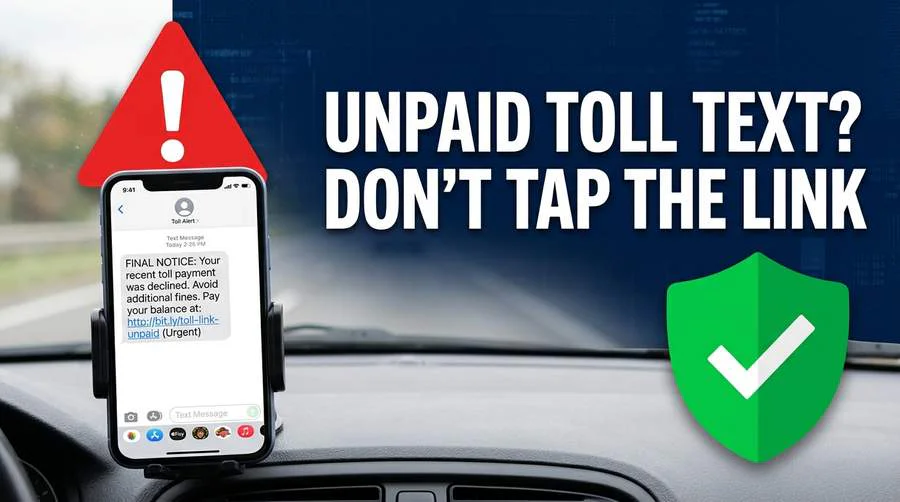
For antivirus for seniors on iPhone, there is no traditional antivirus in the way Windows users understand it, because Apple does not allow apps to scan the whole phone. What helps on an iPhone is real-time web protection in a browser or security app, a password manager, and two-factor authentication on email and banking. Norton 360 Deluxe covers iPhone alongside the family’s other devices, which is one reason it fits a household with mixed devices. The most important iPhone habit is the same as on a PC: never tap a link in an unexpected text message, and never call a number from a popup.
What should seniors avoid when choosing antivirus?
Avoid free antivirus tools that pay for themselves by selling your data. Our free vs paid antivirus guide notes that Avast and AVG, both owned by the same parent company, were fined $16.5 million by the US FTC in 2024 for selling users’ detailed browsing data to advertisers without clear consent. The products may work, but for a senior, paying with privacy instead of money is a bad trade when Windows Defender is free and more private.
Avoid any product that arrives through a popup, a phone call, or a search advert promising a free scan. Real antivirus is bought from the vendor’s official website, never from a warning on screen. And avoid buying the most expensive tier by default: the top tier usually adds identity theft insurance and extra devices that a single senior will never use, and the middle tier in this guide is the right size for most households.
What should a senior do if they already clicked a scam link?
Stay calm, and do not click anything else on the page. Close the tab, do not type anything into it, and do not call any number on the screen. Then follow the five steps in our guide I Clicked a Phishing Link — Here’s Exactly What to Do Now: close the tab, disconnect from the internet, run a full scan with Windows Defender, run Malwarebytes Free as a second opinion, and change the passwords for any account connected to that link, starting with email and banking, from a different device.
If a password was typed into the fake page, treat it as stolen straight away and change it from a phone, not from the affected computer. Turn on two-factor authentication for email and banking while you are changing passwords. If money was sent, call the bank immediately using the number on the back of the card, and report the scam to the FTC. Being caught by a professional scam says nothing about intelligence; it says the scam was designed well.
Frequently asked questions about the best antivirus for seniors
Do seniors need paid antivirus, or is free protection enough?
Free protection is enough for a careful senior who only visits familiar sites and never clicks links in unexpected emails. Paid antivirus is worth it for most seniors because the real risk is not a virus file, it is a scam page or a phishing link, and paid real-time web protection blocks those before they load.
Is Windows Defender enough for an older adult?
Windows Defender is good enough as a virus scanner, scoring 99.0% in the AV-Comparatives February–May 2026 test, but it is weaker at blocking phishing sites and it has no password manager. For a senior who clicks email links, adding a paid pick from this guide covers the gaps Defender leaves.
What is the best antivirus for a senior on a Mac?
Bitdefender Total Security is the best pick for most seniors on a Mac, because it is quiet, light, and covers Mac alongside Windows, Android and iPhone. The same scam rules apply on a Mac: phishing emails and fake support calls are the main threat, not Windows viruses.
What is the best antivirus for a senior on an iPhone?
There is no full antivirus scan app for iPhone in the Windows sense, so the best protection is a security app with real-time web protection, a password manager, and two-factor authentication on email and banking. Norton 360 Deluxe is a practical choice here because one subscription covers the iPhone and the family’s other devices.
Will antivirus slow down an old PC?
A light antivirus will not noticeably slow an old PC during normal use, and the biggest slowdown most people notice is a full scan, which you can schedule overnight. Bitdefender and Malwarebytes Premium are the lightest picks in this guide, while Norton is heavier, so choose one of the lighter two if the PC is already slow.
What if a parent already clicked a scam link?
Close the tab, do not call any number on screen, run a full scan with Windows Defender and a second scan with Malwarebytes Free, and change the passwords for the affected accounts from a different device, starting with email and banking. Our phishing guide walks through all five steps in order.
Should I buy antivirus for my parent, or let them buy it themselves?
Buy it yourself, with your own email address on the account, and set it up on their computer. That way renewal emails, alerts and auto-renewal decisions reach you, and your parent never has to make a security decision alone or pay for something from a popup.
What is the bottom line on antivirus for seniors?
For the best antivirus for seniors overall, choose Bitdefender Total Security for most seniors, Norton 360 Deluxe when several devices need one complete package, and Malwarebytes Premium when the PC is old and simple matters most. Whichever you pick, it works as senior scam protection software, not just a virus scanner. Then set it up yourself, turn off auto-renewal, and agree on one rule: if a screen ever says to call a number, close the browser and call a family member instead. The software handles the viruses; the conversation handles the scams.
Sources and further reading: AV-Comparatives Real-World Protection Test, February–May 2026; AV-TEST August 2026 Windows 11 home-user results; FTC guide on how to spot a tech support scam (PDF).
Last Updated on November 8, 2026 by Em